Magic Dragon dispatch board
Dispatchers use this board to send orders out with drivers. Each driver has a column. Dispatchers drag orders into a driver's column, change the order of stops, and see an ETA on every card.
- Type
- Real product, 2026
- My role
- Founder; design and front end
- Platform
- Web: desktop, a TV wallboard and phones
- Stack
- React 19, Next.js, TypeScript, CSS Modules, HTML5 Drag and Drop, Server-Sent Events
What the board shows
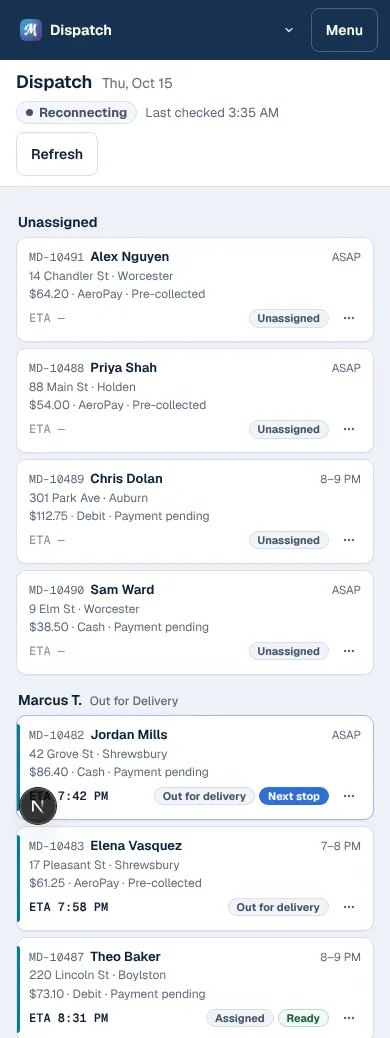
Dispatchers mostly need to know three things: which orders are waiting, which driver has each one, and when it will arrive. The board shows all three, and most changes take a single drag.
- An Unassigned column, then one column per driver with their car, where they are, and their stops in order.
- Every card shows the order number, customer, town, total and payment, the delivery window, and an ETA.
- Problems show on the card itself, like a payment that hasn't gone through, a manifest the state system rejected, or an ETA that's now later than the one the customer was texted.
Drag and drop
The board uses the browser's HTML5 Drag and Drop API, but the default drag image is faint and hard to see. I replaced it: when a drag starts, the card is cloned into an overlay marked inert and aria-hidden that follows the pointer, while the original stays in place, faded, so you can see where it came from.
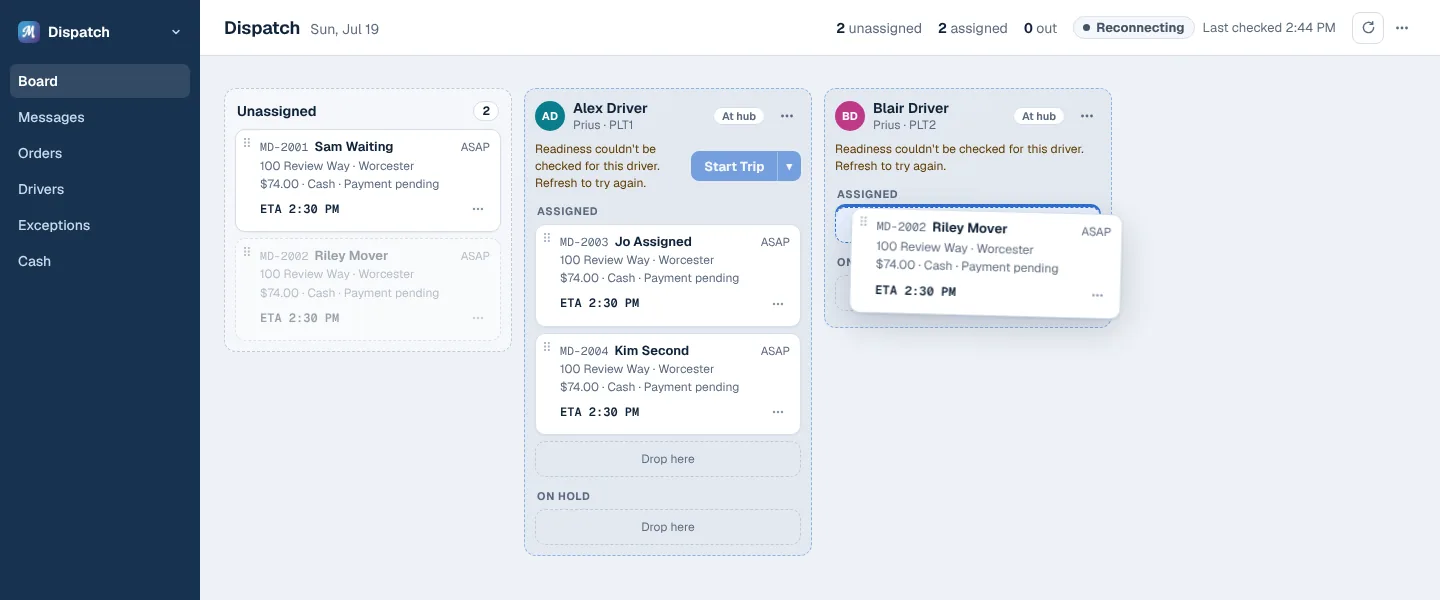
Positioning runs through requestAnimationFrame, so a burst of dragover events still moves the card once per frame:
/** The browser's own drag image is a faint copy of the small handle; ours is the whole card. */
function hideNativeDragImage(dataTransfer: DataTransfer | null) {
  if (!dataTransfer || typeof dataTransfer.setDragImage !== "function") return;
  const blank = document.createElement("div");
  blank.style.cssText = "position:fixed;top:0;left:0;width:1px;height:1px;pointer-events:none;";
  document.body.appendChild(blank);
  dataTransfer.setDragImage(blank, 0, 0);
  setTimeout(() => blank.remove(), 0);
}

const onDragOver = (dragEvent: DragEvent) => {
  const active = activeRef.current;
  if (!active || active.phase !== "dragging") return;
  // Some browsers end a drag with a 0,0 dragover.
  if (dragEvent.clientX === 0 && dragEvent.clientY === 0) return;
  active.pointer = { x: dragEvent.clientX, y: dragEvent.clientY };
  if (active.frame !== null) return;
  active.frame = requestAnimationFrame(() => {
    active.frame = null;
    place(active.overlay, active.pointer.x - active.offset.x, active.pointer.y - active.offset.y);
  });
};- After a drop, the copy waits where it was dropped until the server confirms the move and the board re-renders, then glides into its new slot in 200 ms. A move that fails, or a drag that's cancelled, glides back. If the server hasn't answered in five seconds, it settles anyway.
- Holding a card near the edge of the board scrolls it, one small step per
dragover, so it doesn't scroll too fast. - Firefox only starts a drag that carries data, so every drag sets its own
application/x-dispatch-orderpayload. - With
prefers-reduced-motion, cards jump to their place instead of gliding.
Menus and the order panel
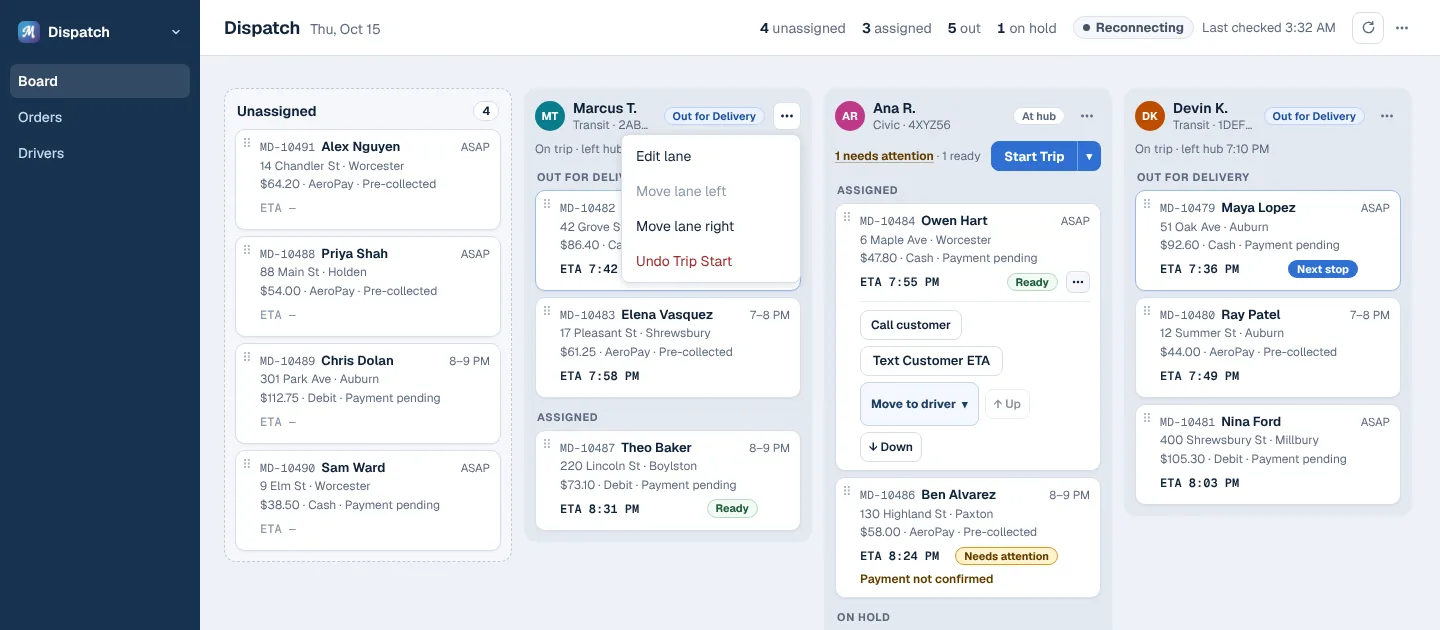
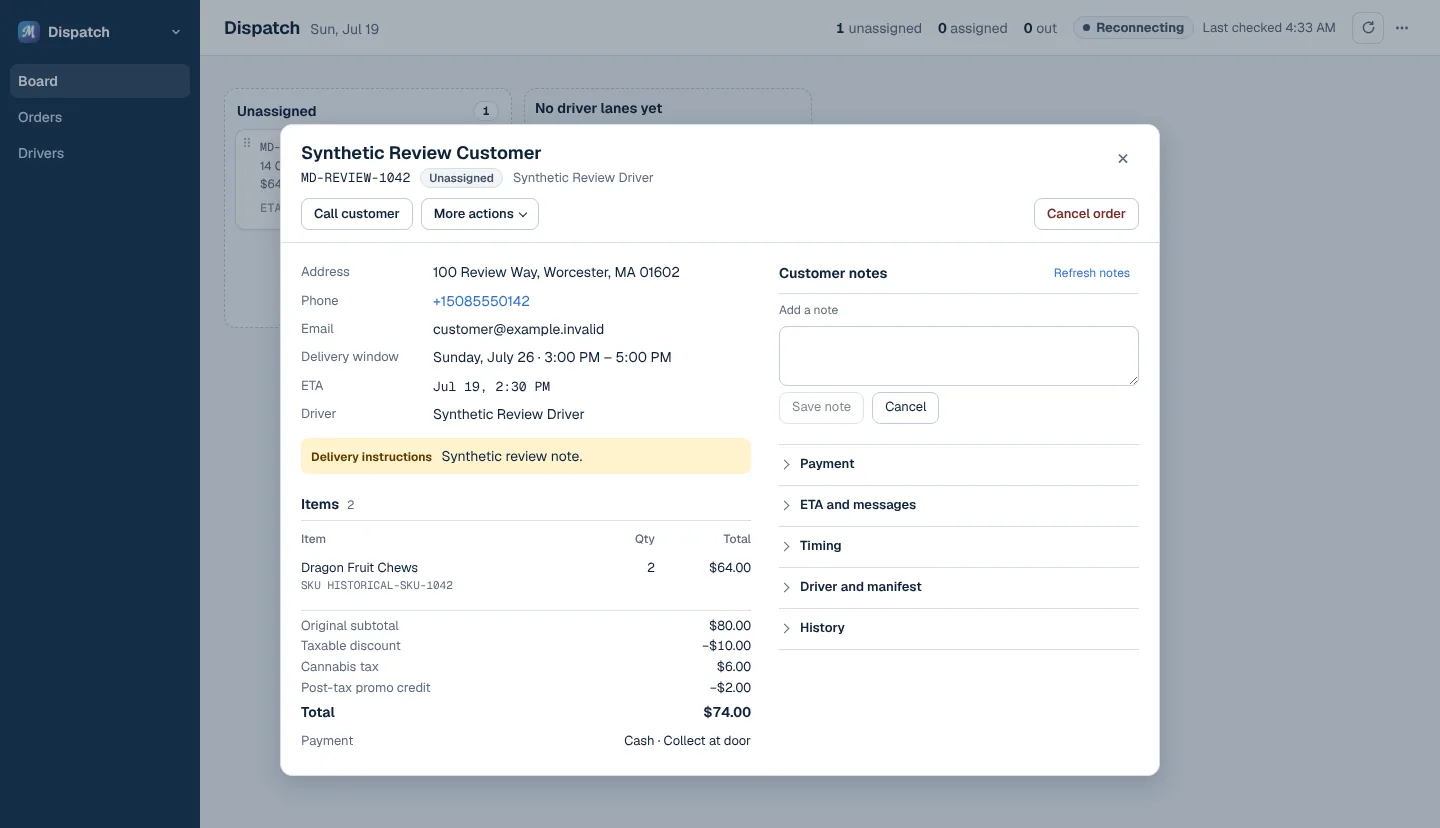
If every action had its own button, the cards would be too cluttered to read. You can also assign and move orders from a menu on each card and column, which makes the board usable on a touch screen. Everything else about an order, including texting the customer an updated ETA, opens in a panel over the board, so a dispatcher never loses their place.
Live updates
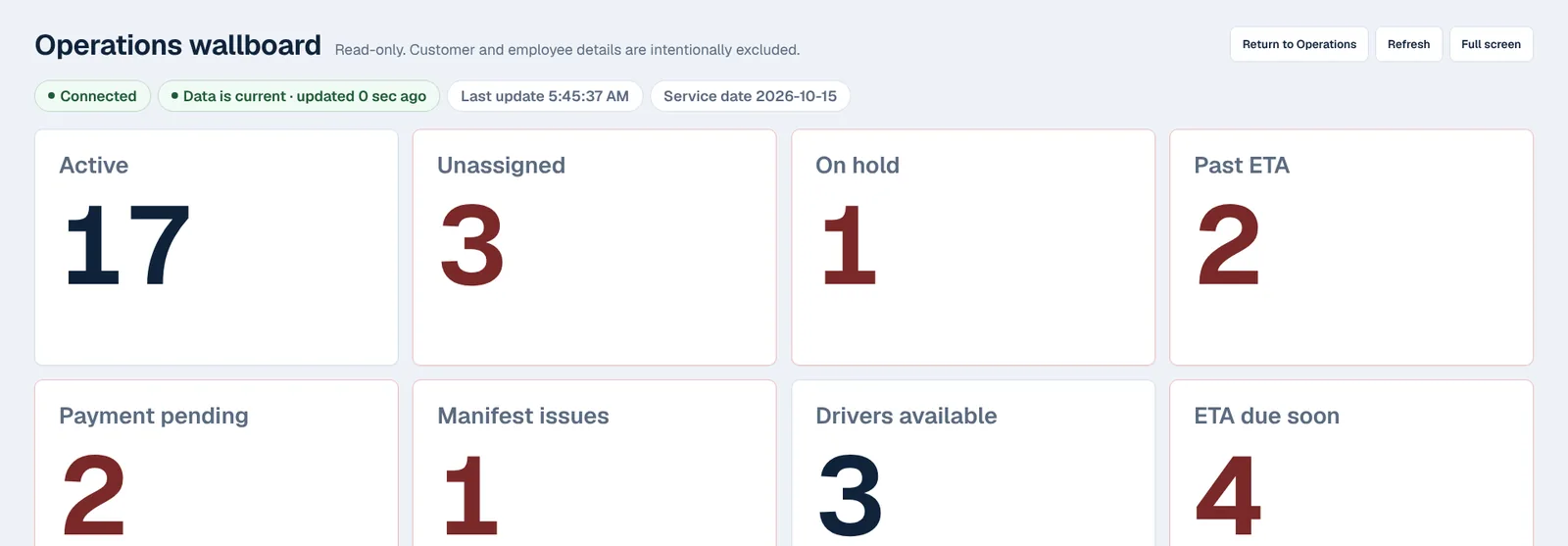
Each open board subscribes to a Server-Sent Events stream of order updates and reconciles them with what's on screen, so two dispatchers can work at the same time without overwriting each other's changes; an end-to-end test drives two sessions at once to check it. The same data drives a wallboard sized for the TV in a dispatch room and a phone layout for managers away from the desk.
Testing
The board has its own integration and end-to-end suites (board data, order detail, move commands, ETA facts) alongside the app's Vitest unit tests. Shared components are checked in Playwright with axe-core against WCAG 2.2 AA, plus keyboard and visual-catalog tests.
Next: Magic Dragon storefront